What Are the Components of Event Data?
Learn about the different components of event data and how to define events properly before you begin instrumentation.

This is part four of the five-part series on Customer Data and an excerpt from The Amplitude Guide to Behavioral Data & Event Tracking.
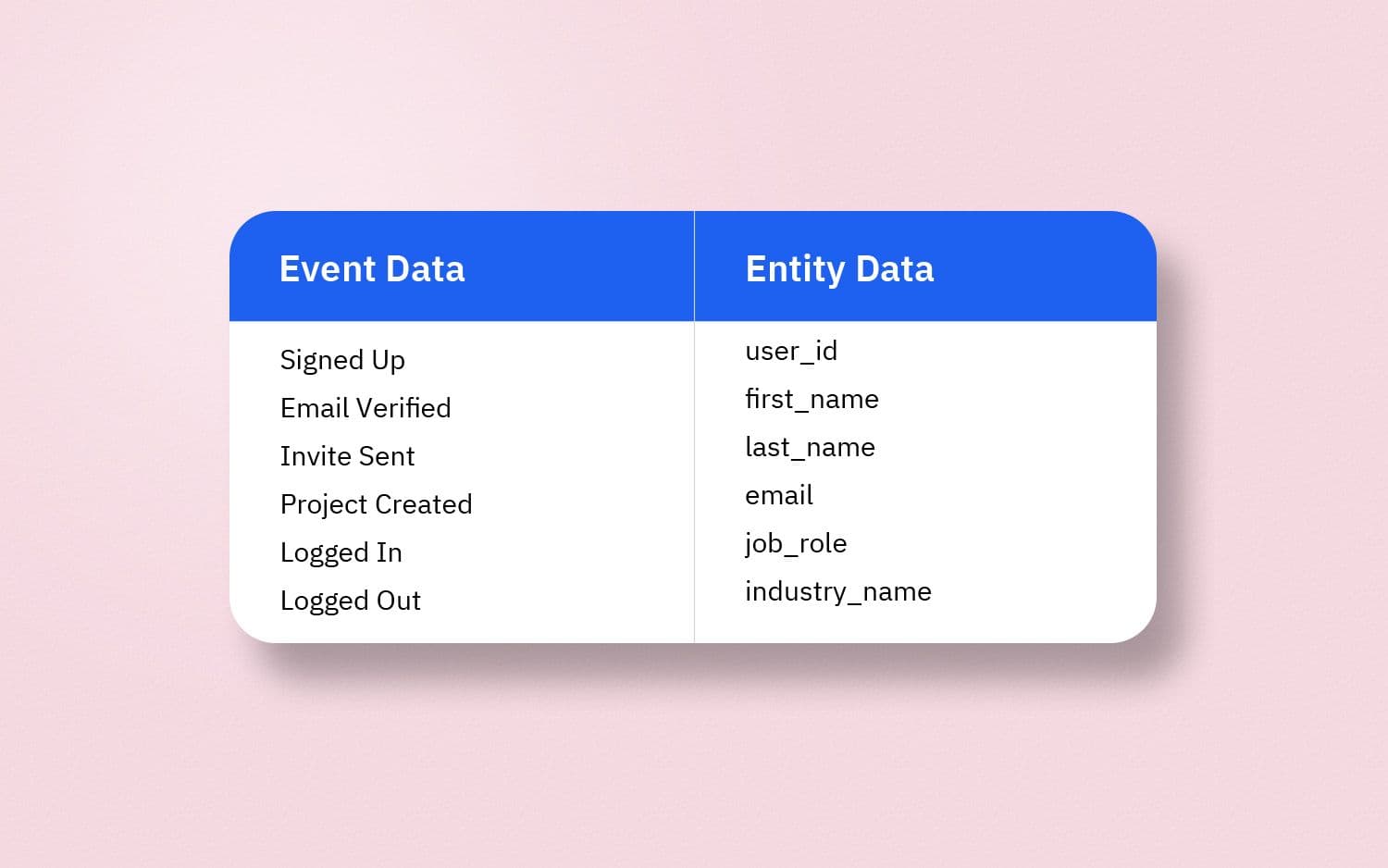
Customer Data comprises Event Data and Entity Data—you already know this if you’ve gone through part one (What Is Customer Data?).
In this guide, you will learn about the components of event data, the preferred naming convention to define events, the categories of entity data, and the two main types of entities.
Event Data
Since you have probably bought stuff online, let’s start with an ecommerce example.
When interacting with an ecommerce app (web or mobile), you typically buy a product by adding it to your cart, proceeding to checkout, and completing the payment—these are events that you perform when you go through the process of buying an item on the app.
The buyer journey, however, is not so straightforward and there are several other events that can take place such as:
- A product is viewed
- The cart is viewed
- A product is removed from the cart
- A coupon is applied
- An address is chosen
- A payment method is chosen
- An order is completed
And so on.
Common events like Add to Cart, Proceed to Checkout, and Make Payment come to mind immediately but to understand user behavior, one also needs to track other events like those mentioned above.
Deciding which events to track and naming the events using a proper naming convention are the first two steps in the process of gathering event data.
What are the next two steps?
Glad you asked!
Each event is accompanied by event properties (or event attributes) that provide more context about an event. Deciding which properties to associate with an event and naming those properties are the next two steps in the process of gathering event data.
What’s in a name?
When it comes to data, everything.
A proper naming convention or taxonomy is what makes good data stand out from bad data and enables stakeholders to understand what they are looking at. Not maintaining a standardized taxonomy, on the other hand, is one of the main causes of data sets being skewed or bloated with redundancy.
Also, when working with customer data, not maintaining uniform casing when naming events and event properties is one of the biggest mistakes you can make—one that can have long-term ramifications. A good naming convention should always be accompanied by strict casing guidelines.
Here’s why:
Add to Cart, added_to_cart, productAdded, add to cart, Added to cart, Product Added are different ways to define the same event.
While none of these is wrong per se, and there are no set rules when it comes to naming events and properties, there are best practices that one should consider following.
The object-action naming convention has pretty much become the industry standard and for good reason—it clearly describes the action that has already taken place. Product Added definitely means that an object (product) is followed by an action (added).
Learn more about setting up a consistent taxonomy for your events.
Components of event data
There are two key components of an event—an entity (one or more) and event properties.
Associating entity data such as user_id with an event provides information about the user who performed the event.
In the absence of a unique identifier like user_id, event data will remain anonymous and there’ll be no way to know who performed said event. Similarly, in the context of B2B SaaS, where a user can potentially be part of multiple organizations, organization_id needs to be associated with events to know where events take place.
Besides entities, there are other pieces of information that can be gathered for the purpose of analysis and segmentation when events take place.
Going back to the ecommerce example, when a product is purchased, besides knowing who made the purchase, at the very least, you also need to know what product was purchased at what price, and when.
Those additional pieces of information are gathered in the form of event properties.
In part one of this series, it was mentioned that event data comprises three key elements:
- The action or the event that took place
- The timestamp or the precise date and time when the event took place
- The state or all other properties associated with the event (known as event properties)
Let’s look at the event Product Added (the name in Proper Case as per the object-action framework for the event Add to Cart) and assume that it was performed by a user on Jan 1, 2020, at 10 a.m. UTC. The data gathered when the event took place includes the following:
- The action: Product Added
- The timestamp: 1577872800 (Unix timestamp for Jan 1, 2020, 10 a.m. UTC)
- The state: 0123 (user_id), ABZ (product_id), 7.99 (price), and 2 (quantity)
As per this example, the properties associated with the event Product Added are user_id, product_id, price, and quantity, each of which provides more information about the event. The timestamp is associated with the event to know when it took place.
It is also useful to specify a name for the timestamp which is essentially an event property. It’s not mandatory to do so as the standard practice is to associate the timestamp as timestamp with every event when sending data to third-party tools; however, specifying a distinct name for the property that stores the timestamp can be helpful in the long run when you need to work with historical event data.
The recommended taxonomy for timestamps is the event name followed by “at”: product_added_at for the event Product Added.
You might have already noticed that snake_case is being used to define event properties which makes it easy to distinguish event names from event properties. That said, do keep in mind that there are no predefined rules here and you should choose whatever works best for you and your team.
Here’s a final look at the properties associated with the event Product Added and the data types of each of those properties:
Specifying the data type for each property ensures consistency of data and makes the instrumentation process easier.
Side note: It’s good to keep in mind that user_id is a user property (entity data) that acts as the identifier for an event and is therefore passed as an event property.
It should now be clear that gathering event data comprises the following steps:
- Deciding which events to track
- Naming those events using a proper naming convention
- Deciding which properties to associate with each event
- Naming those properties using a proper naming convention
The next (and last) part of this series covers the process of deciding which events to track and what data to gather.
However, you should have a good idea of what to expect when looking at event data (whether in a tracking plan before instrumentation or inside a data destination such as your product analytics tool).
Some common events and their properties
Before moving on, take a look at a few common events and properties that are tracked by most tech products.
Learn how to accurately track your event data in The Amplitude Guide to Behavioral Data & Event Tracking.
Entity types
It’s time to take an in-depth look at different entities and their properties. If you haven’t already, go through this guide to understand how entity data relates to event data.
In the first part of this series, it was mentioned that data shared by users falls under entity data. While that is true, not all entity data is shared by users themselves—entity data can also be generated.
Entity data comprises properties associated with the entity—if User is the entity, all information about a user is gathered in the form of user properties.
User_id is generated for every user by default in order to identify users (and acts as an identifier for events.)
That said, for the time being, forget about events and think about the different pieces of information that relate exclusively to users and tell you about their traits.
Types of entity data
Entity Data can be categorized into the following buckets (also mentioned in part 3 of this series):
- Personally identifiable information such as name, email, and phone
- Demographics such as age, gender, and location
- Persona such as industry, job role, and goal.
- Preferences such as brands, genres, and product categories.
- Product-specific data such as products purchased, apps used, time spent, and subscription type.
The pieces of data under each bucket fall under user properties. In other words, user properties store various details and traits about users, enabling you to identify them and know more about them.
While most of the information comes from the user directly, certain user properties are generated automatically over time as a result of product usage.
But isn’t event data also generated due to product usage?
It sure is—user properties are additional details related to an event gathered when the event takes place. Let’s take a look at the Signed Up event and its properties:
As you can see, all the properties associated with this event provide details about users—details that are either shared by users themselves (first_name, last_name, email, phone, country) or details that are generated automatically (signed_up_at, user_id).
It is helpful to keep in mind the following:
- Some events like Signed Up or Email Verified are performed only once by every user and the various pieces of data gathered from such events translate into user properties.
- Most user properties barring timestamps and identifiers are subject to change. A user can change their name, email, phone, location, industry, job role, etc. But the time of signing up (signed_up_at) or the unique identifier (user_id) cannot be changed by the user.
User properties vs. organization properties
With consumer apps, time spent, products purchased, songs played, or videos watched are properties associated with the user stored as user properties, the values of which are constantly updated with an increase in usage.
In the context of B2B SaaS, User and Organization are the main entities, and the events collected are tied to a user or an organization (or both).
There could be other group entities such as team or project with certain pieces of data tied to them, as is the case with most productivity tools—the process of gathering organization data is applicable in such cases, too.
Let’s take a look at some common user properties relevant to B2B SaaS products:
When a user is part of an organization, many important pieces of information are tied to the organization and not the user.
Some common organization properties (also referred to as group properties) are as follows:
It is important to keep in mind that the organization_id also acts as an identifier and should be associated with events to know under which organization did a certain event take place.
Keeping the following statements in mind can help differentiate between user properties and organization properties:
- Every piece of information that helps define user cohorts—where they come from, who they are, what their objective is, or what they do inside a product—is stored as a user property.
- Every piece of information that helps segment accounts or organizations—the account type, the revenue it generates, the products or features it uses, the resources it consumes, or the number of users who are part of it—is stored as an organization property (or group property).
Once you can differentiate between the above, it becomes easy to bring new entities (such as teams or projects) into the mix.
Next steps
You should now have a clear understanding of how to define events and their associated properties, as well as specify the properties of each entity (user and organization).
To start defining events and organizing your data today, read our Behavioral Data & Event Tracking guide, then get started with a free Amplitude account.

Arpit Choudhury
Founder, astorik
Arpit is growing databeats (databeats.community), a B2B media company, whose mission is to beat the gap between data people and non-data people for good.
More from Arpit


